Best Forza Horizon 6 PC Settings for FPS and Clarity

From TwogPedia
News/Best Forza Horizon 6 PC Settings for FPS and Clarity


Best Forza Horizon 6 PC Settings for FPS and Clarity

More

19 May 2026 08:45

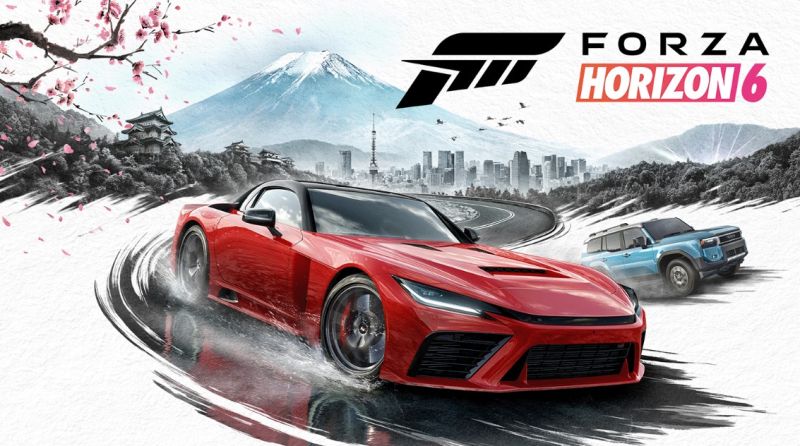
Forza Horizon 6 is a beauty, but the wrong settings will turn Japan into a slideshow before you've cleared the first event. The goal here is to land on a build that holds a steady frame rate without giving up the visual punch the ForzaTech engine is actually capable of. Cut the settings that cost a lot of GPU for almost nothing, keep the ones that earn their place, and the game runs clean.

These settings were tuned on an RTX 4060, 32GB of DDR4 at 3200MHz. Higher resolutions or weaker hardware will need adjustments obviously, but the logic of which settings to push and which to pull back stays the same.

These values keep the driver-perspective cameras close to default but widen the chase and bumper views slightly, which helps situational awareness at the speeds where you actually need it.

Camera

FOV

Chase Cam

49

Far Chase Cam

58

Driver Cam

48

Dashboard Cam

48

Hood Cam

66

Bumper Cam

58

Graphics and Performance Settings

This is where it gets surgical. The preset goes to Custom because no single preset gives you a clean balance of fidelity and frames. The big swap to understand is on reflections: Screen Space Reflections off entirely, Raytraced Reflections on Low. Screen Space costs a meaningful chunk of GPU time, and the ray-traced version on Low produces more accurate reflections at lower cost. Same logic for global illumination, Screen Space GI off, Raytraced GI on Low. Environment Texture and Geometry sit at High rather than Extreme, because the visual upgrade between the two is hard to spot at 200kph and the GPU cost is real. Shadow Quality stays at Extreme because shadow detail sells the lighting more than almost any other setting in this engine.

Setting

Value

Preset

Custom

Car Level of Detail

Extreme

Environment Texture Quality

High

Environment Geometry Quality

High

Car Reflection Quality

Extreme

Screen Space Reflections Quality

Medium

Raytraced Reflections Quality

Low

Shadow Quality

Extreme

Night Shadows

Ultra

Screen Space GI Quality

Off

Raytraced GI Quality

Low

Shader Quality

High

Audio Quality

Ultra

Deformable Terrain Quality

Extreme

Particle Effects Quality

Ultra

Volumetric Fog Quality

High

Lens Effects

High

Motion Blur Quality

Medium

This combination lands at 75-60 FPS at 1080p on a 4060 Ti, which is the sweet spot for a racing game. If you're running stronger hardware, there's room to push Environment Texture and Geometry up to Extreme. If you're running weaker hardware, drop Shadow Quality to High first, then turn Raytraced Reflections off, then Particle Effects to High, in that order.

Tags: Forza
Share:


Best Forza Horizon 6 PC Settings for FPS and Clarity

More

19 May 2026 08:45

Tags: Forza

Forza Horizon 6 is a beauty, but the wrong settings will turn Japan into a slideshow before you've cleared the first event. The goal here is to land on a build that holds a steady frame rate without giving up the visual punch the ForzaTech engine is actually capable of. Cut the settings that cost a lot of GPU for almost nothing, keep the ones that earn their place, and the game runs clean.

These settings were tuned on an RTX 4060, 32GB of DDR4 at 3200MHz. Higher resolutions or weaker hardware will need adjustments obviously, but the logic of which settings to push and which to pull back stays the same.

These values keep the driver-perspective cameras close to default but widen the chase and bumper views slightly, which helps situational awareness at the speeds where you actually need it.

Camera

FOV

Chase Cam

49

Far Chase Cam

58

Driver Cam

48

Dashboard Cam

48

Hood Cam

66

Bumper Cam

58

Graphics and Performance Settings

This is where it gets surgical. The preset goes to Custom because no single preset gives you a clean balance of fidelity and frames. The big swap to understand is on reflections: Screen Space Reflections off entirely, Raytraced Reflections on Low. Screen Space costs a meaningful chunk of GPU time, and the ray-traced version on Low produces more accurate reflections at lower cost. Same logic for global illumination, Screen Space GI off, Raytraced GI on Low. Environment Texture and Geometry sit at High rather than Extreme, because the visual upgrade between the two is hard to spot at 200kph and the GPU cost is real. Shadow Quality stays at Extreme because shadow detail sells the lighting more than almost any other setting in this engine.

Setting

Value

Preset

Custom

Car Level of Detail

Extreme

Environment Texture Quality

High

Environment Geometry Quality

High

Car Reflection Quality

Extreme

Screen Space Reflections Quality

Medium

Raytraced Reflections Quality

Low

Shadow Quality

Extreme

Night Shadows

Ultra

Screen Space GI Quality

Off

Raytraced GI Quality

Low

Shader Quality

High

Audio Quality

Ultra

Deformable Terrain Quality

Extreme

Particle Effects Quality

Ultra

Volumetric Fog Quality

High

Lens Effects

High

Motion Blur Quality

Medium

This combination lands at 75-60 FPS at 1080p on a 4060 Ti, which is the sweet spot for a racing game. If you're running stronger hardware, there's room to push Environment Texture and Geometry up to Extreme. If you're running weaker hardware, drop Shadow Quality to High first, then turn Raytraced Reflections off, then Particle Effects to High, in that order.

Share:
Sources:

Media Archive: